Samsung Galaxy S26 Ultra Privacy Display Tech Revealed
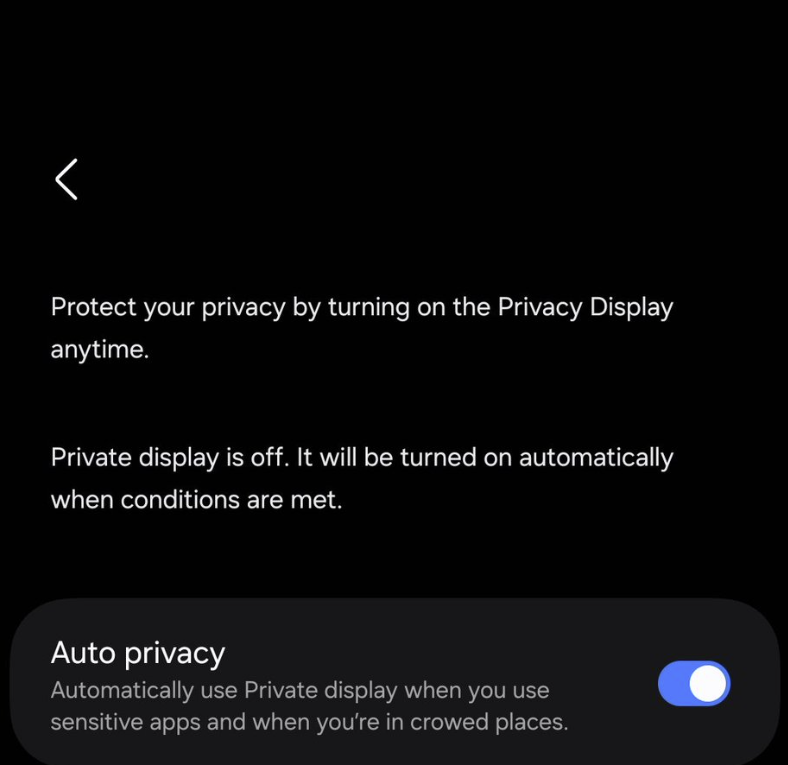
Our smartphones hold almost our entire lives today; consequently, Samsung is taking a bold step forward in hardware-level security. A recently released teaser video showcases a groundbreaking Galaxy S26 Ultra Privacy Display feature. This technology keeps prying eyes away from your sensitive information and, furthermore, solves a common problem for commuters: the “shoulder surfer” in crowded public spaces.
How the Privacy Display Technology Works
The leaked demonstration suggests that the Samsung Galaxy S26 Ultra utilises an advanced light-control layer within its AMOLED panel. Specifically, when you activate this feature, it significantly narrows the viewing angles of the screen.
- Front-on Clarity: The display remains vibrant and sharp with perfect colour reproduction for the person holding the phone.
- Side-angle Blackout: In contrast, to anyone standing to your left or right, the screen appears completely dark. This makes it impossible for them to read your messages or view your private photos.
- Instant Toggle: Additionally, you can switch this on or off via the Quick Settings panel. As a result, you can still use wide viewing angles when you want to share a video with friends.
Analysis: A New Standard for Business and Security
By integrating this technology directly into the screen, Samsung effectively makes third-party privacy screen protectors obsolete. Therefore, professionals handling sensitive organisation data will find the Galaxy S26 Ultra Privacy Display a massive “quality of life” upgrade.
Our Insight: We expect this feature to be a major selling point for the “Ultra” model. While we expect the standard Samsung Galaxy S26 and S26+ to be incredible devices, Samsung clearly uses the Ultra as the testbed for its most advanced “pro” features.
Tips for Protecting Your Digital Privacy
While a privacy display provides a fantastic physical shield, true security requires a multi-layered approach. To achieve this, consider the following steps:
- Enable Lockdown Mode: Familiarise yourself with Android’s “Lockdown” feature. Notably, it quickly disables biometric unlocking and hides notifications in an emergency.
- Use Secure Folder: Even so, you should still keep your most sensitive apps and documents inside Samsung’s encrypted Secure Folder.
- Adjust Notification Privacy: Finally, set your lock screen to “Hide sensitive content” so your private messages remain hidden until you unlock the phone.
Final Thoughts
The Samsung Galaxy S26 Ultra continues to shape up as the ultimate “do-it-all” device. By addressing physical privacy alongside performance and camera upgrades, Samsung proves it understands the evolving needs of the modern, mobile-first user.