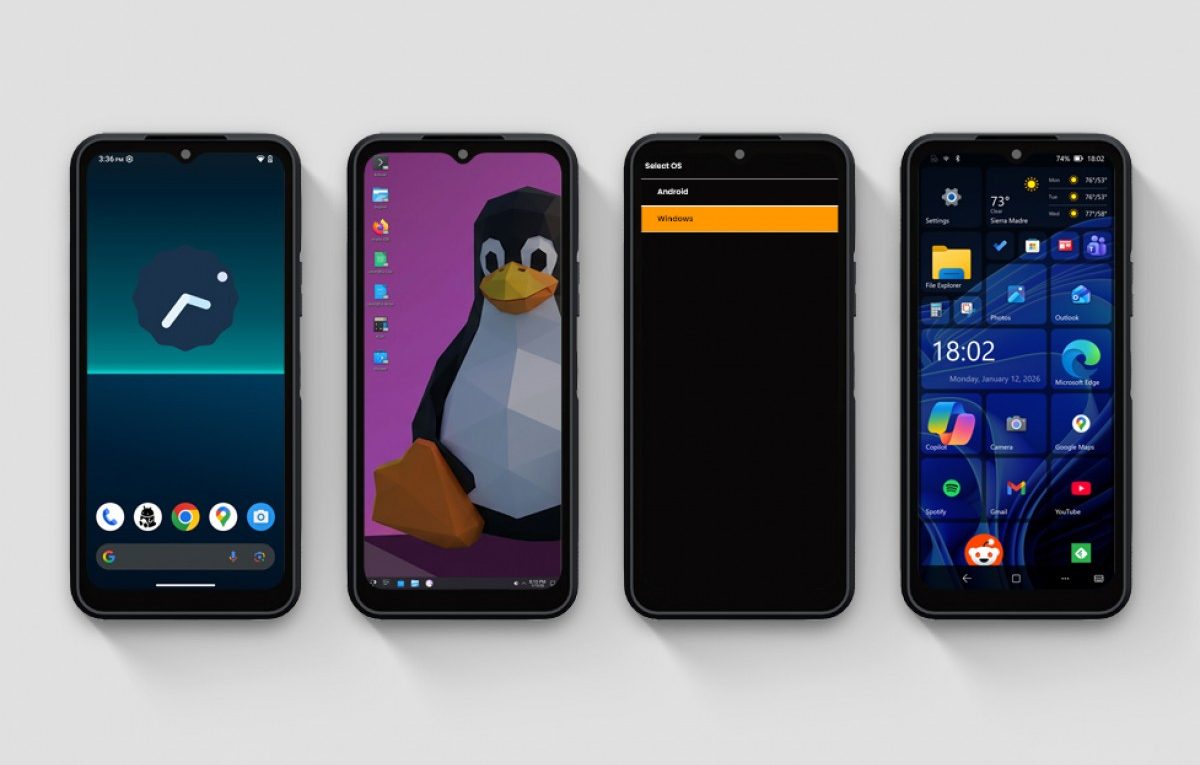
The Dream of a Smartphone-PC Hybrid: Why the NexPhone Might Miss the Mark
The idea of a single device that lives in your pocket but powers your entire desktop setup has been the ‘holy grail’ of mobile technology for over a decade. From the early days of Motorola’s Atrix to the more modern Samsung DeX, many manufacturers have tried to bridge the gap between mobile and desktop computing.
The latest contender to enter this arena is the NexPhone, a device promising a unique ‘triple-threat’ software experience. It aims to run Android as a phone, Linux when docked to a tablet, and Windows 11 when connected to a PC workstation.
A Closer Look at the NexPhone Proposition
The NexPhone is designed for the professional who values mobility above all else. By using a specialised dock, the device transitions its interface to suit the screen it is connected to, theoretically allowing for a seamless workflow.
In theory, this level of integration simplifies your digital life. Instead of synchronising multiple devices or managing cloud storage across various platforms, you simply carry your entire computing environment with you. However, as many tech enthusiasts realise, the transition from a mobile processor to a full desktop operating system is rarely without compromise.
The Technical Realities of Multi-OS Hardware
While the dream is enticing, the practical reality of running Windows 11 on a mobile chipset presents significant challenges. Windows 11 is primarily designed for x86 architecture, whereas almost all modern smartphones utilise ARM-based processors.
The Emulation Problem
To run standard Windows programmes on an ARM device, the system must often rely on emulation. This process can be incredibly taxing on a smartphone’s hardware, often resulting in several issues:
- Slow application launch times and stuttering performance
- Poor battery life when running in ‘PC mode’
- Compatibility issues with specialised or older software
Furthermore, the thermal management required for a desktop-class experience is difficult to achieve in a slim smartphone chassis. Without active cooling, the device is likely to throttle its performance, leaving the user with a sluggish experience that pales in comparison to a dedicated laptop.
Practical Alternatives for Productivity
If you are looking for a desktop experience from your Android phone today, you do not necessarily need to wait for experimental hardware. Several established brands already offer robust solutions that are better optimised for daily use.
Samsung DeX remains the most mature ‘desktop mode’ available, allowing Galaxy users to connect to a monitor for a windowed, desktop-like interface. Similarly, Motorola’s ‘Ready For’ platform offers a fantastic way to handle productivity and gaming on larger displays.
Conclusion: A Vision Ahead of its Time
The NexPhone represents a fascinating glimpse into a future where our devices are no longer defined by their physical hardware limits. However, until software optimisation and ARM-based processing power catch up to the demands of Windows 11, it remains a niche product for early adopters.
For most users, the best approach is to utilise the powerful desktop modes already built into flagship Android devices. These offer a stable, useful bridge between mobile and desktop without the complications of a complex multi-OS boot system.